

Powered By
Gemini 3 reads your files, not just filenames
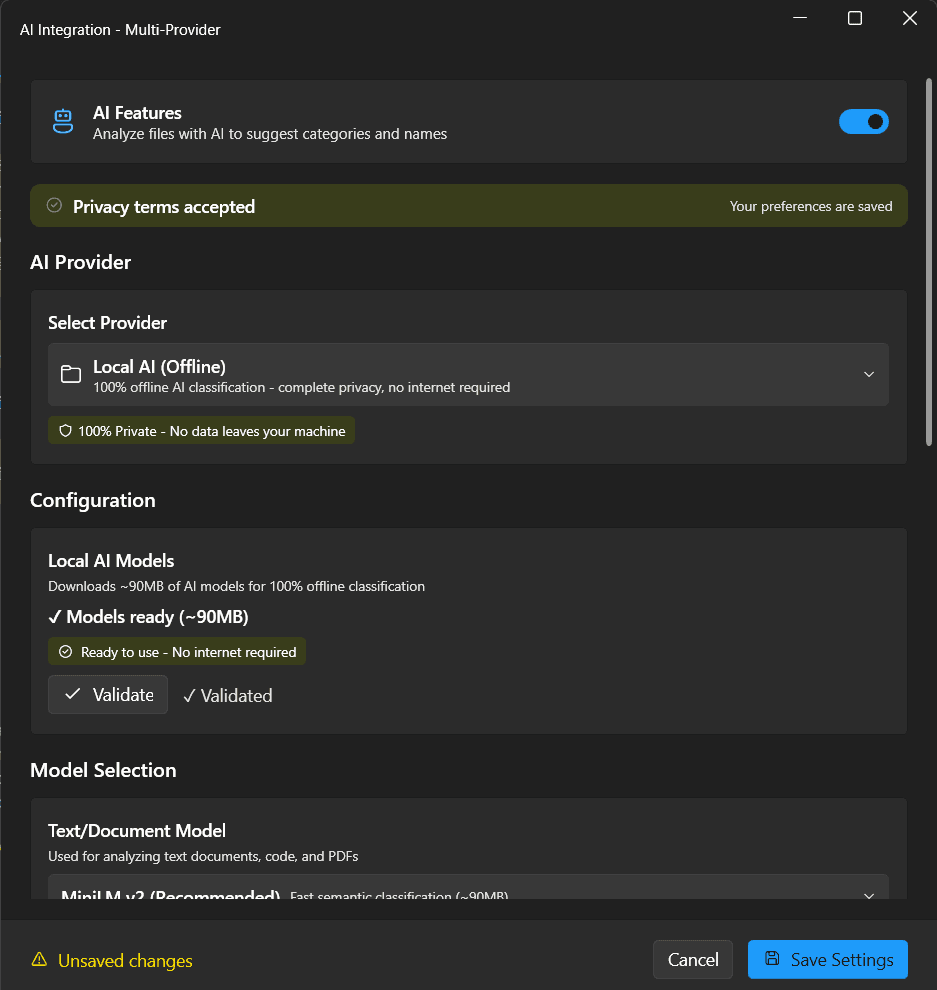
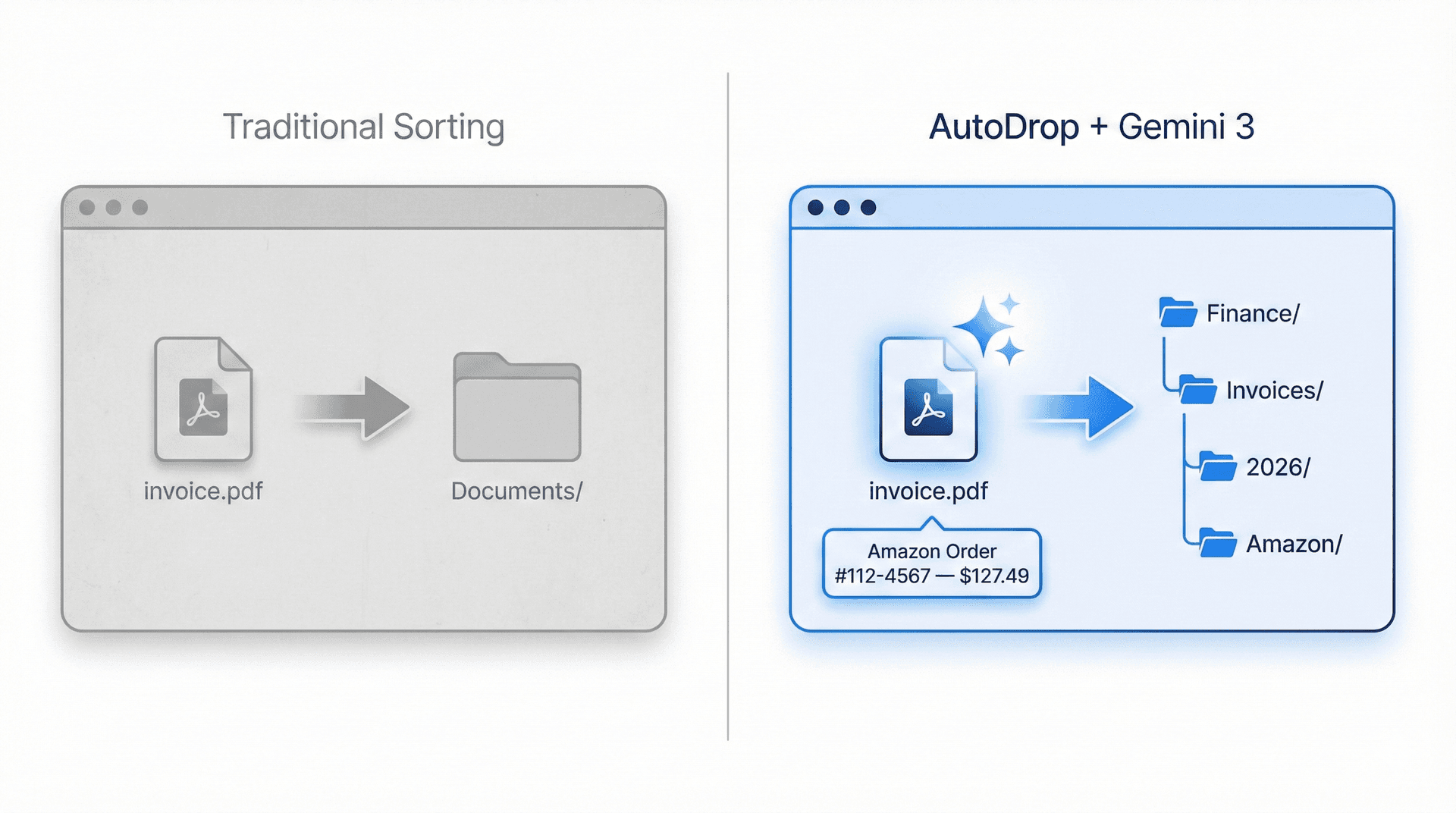
AutoDrop sends file content directly to Gemini 3's multimodal API. Images are analyzed visually, PDFs are read for text and layout, and documents are understood in full context. An invoice named "IMG_2847.png" is correctly identified as an Amazon order — not dumped into a generic Pictures folder. The AI returns structured JSON with a category, suggested path, confidence score, and reasoning.
We all have that one folder. The Downloads folder.
A graveyard of PDF invoices, random screenshots, zip files you'll "organize later," and installers from years ago. Traditional tools only check file extensions. AutoDrop uses Gemini 3 to read and understand the actual content of your files.
Hours Lost per Day
2.5
Can't Find Files
57%
Downloads Become Clutter
83%
Days Wasted per Year
38
From chaos to order in 3 seconds
No setup wizards. No learning curve. AutoDrop's floating drop zone and Gemini 3 intelligence turn file organization into a single drag-and-drop gesture.


STEP 1
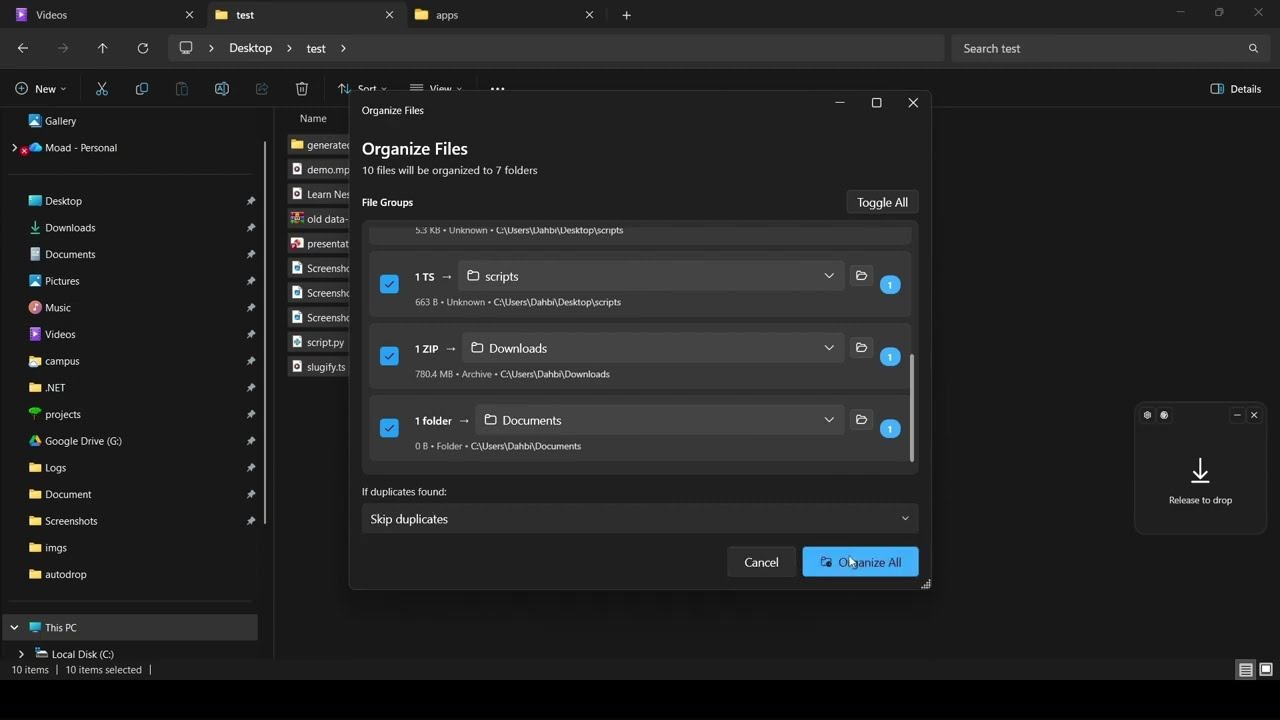
Drop your files onto AutoDrop
Drag any file — invoices, screenshots, documents, code, photos — onto the minimal floating drop zone. It sits quietly in your system tray, always one gesture away.
STEP 2
Gemini 3 reads the actual content
In under 2 seconds, Gemini 3's multimodal vision analyzes what's inside — not the filename. An invoice named "IMG_2847.png" is correctly identified as an Amazon order.
STEP 3
AI suggests the perfect folder
AutoDrop returns a smart suggestion with a confidence score, tags, and reasoning — so you know exactly why it chose that destination. No black-box guessing.
STEP 4
One click to organize
Confirm the suggestion and your file moves instantly. Or set up rules so AutoDrop handles it automatically next time — "always do this" saves your preferences.
STEP 5
Full undo & history
Made a mistake? One-click undo reverses any move. Browse your full operation history and roll back anything, anytime. Your files are always safe.
Powered by Gemini 3 Multimodal Intelligence
AutoDrop doesn't just see files — it understands them. Gemini 3's multimodal vision reads images, PDFs, and documents to categorize by content, not filename.
The Multimodal Difference
Gemini 3 reads content, not just filenames.
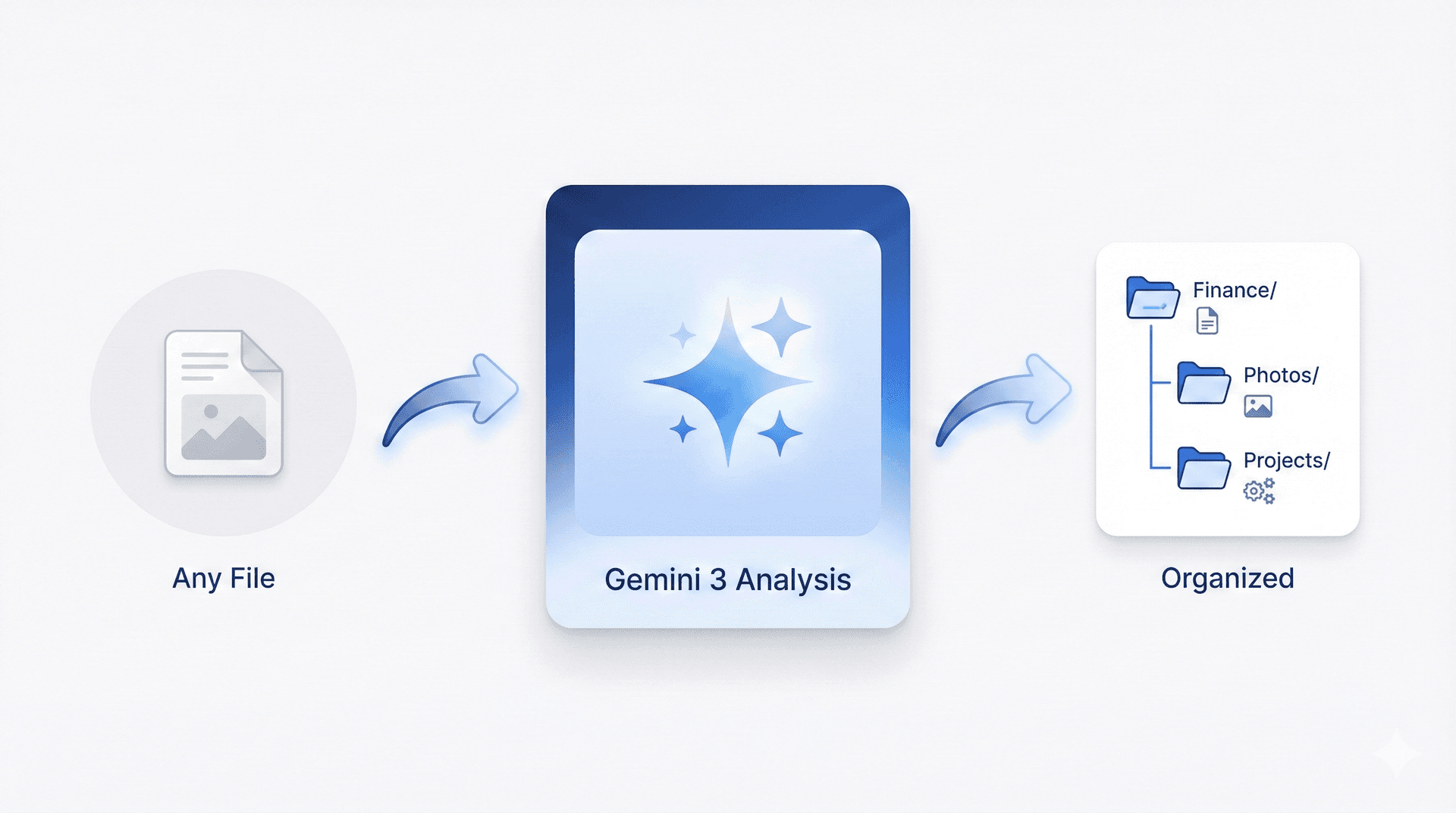
Intelligent Pipeline
File in, Gemini 3 analyzes, perfect folder out.
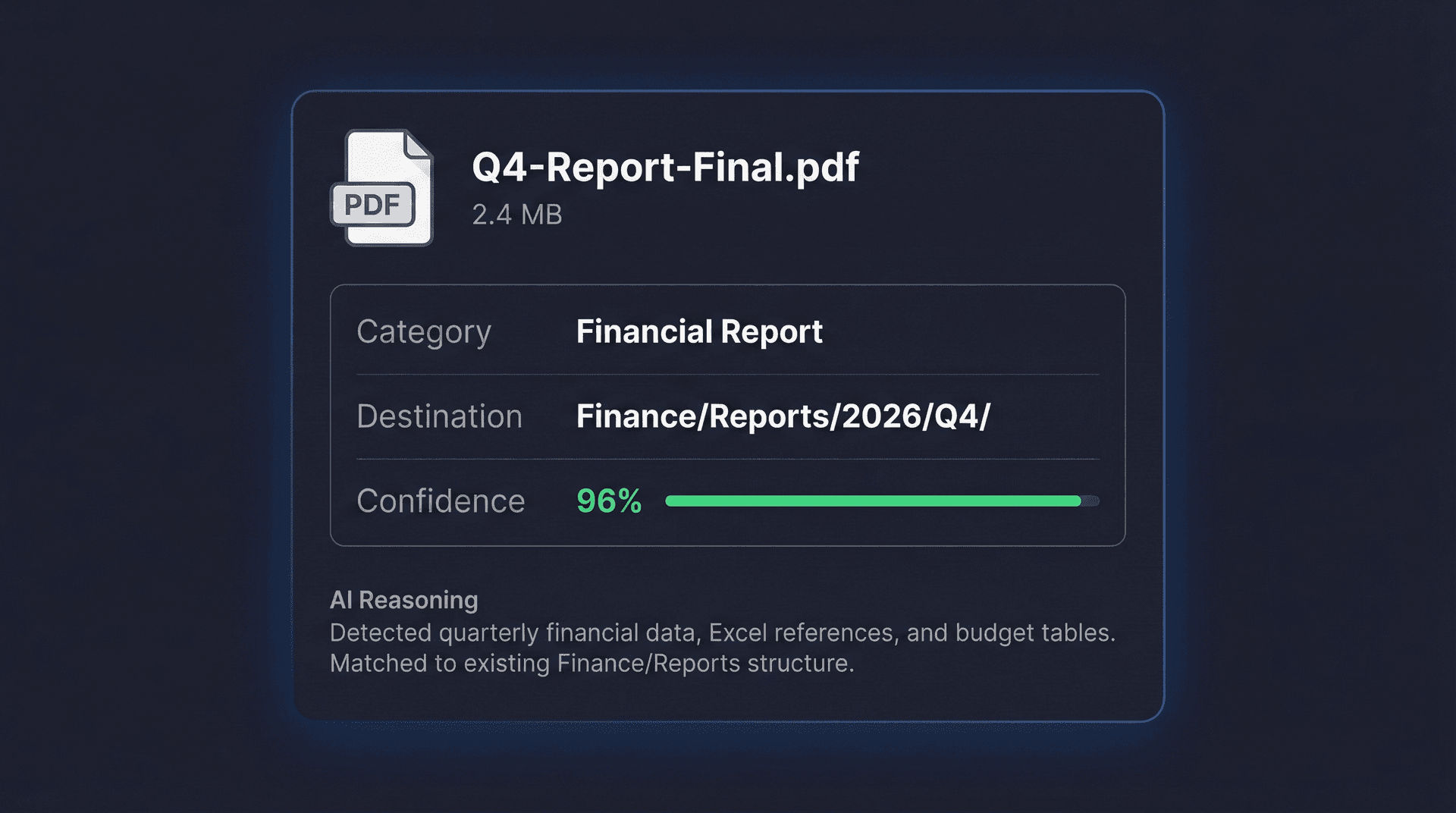
Structured AI Response
Confidence scores, reasoning, and perfect categorization.
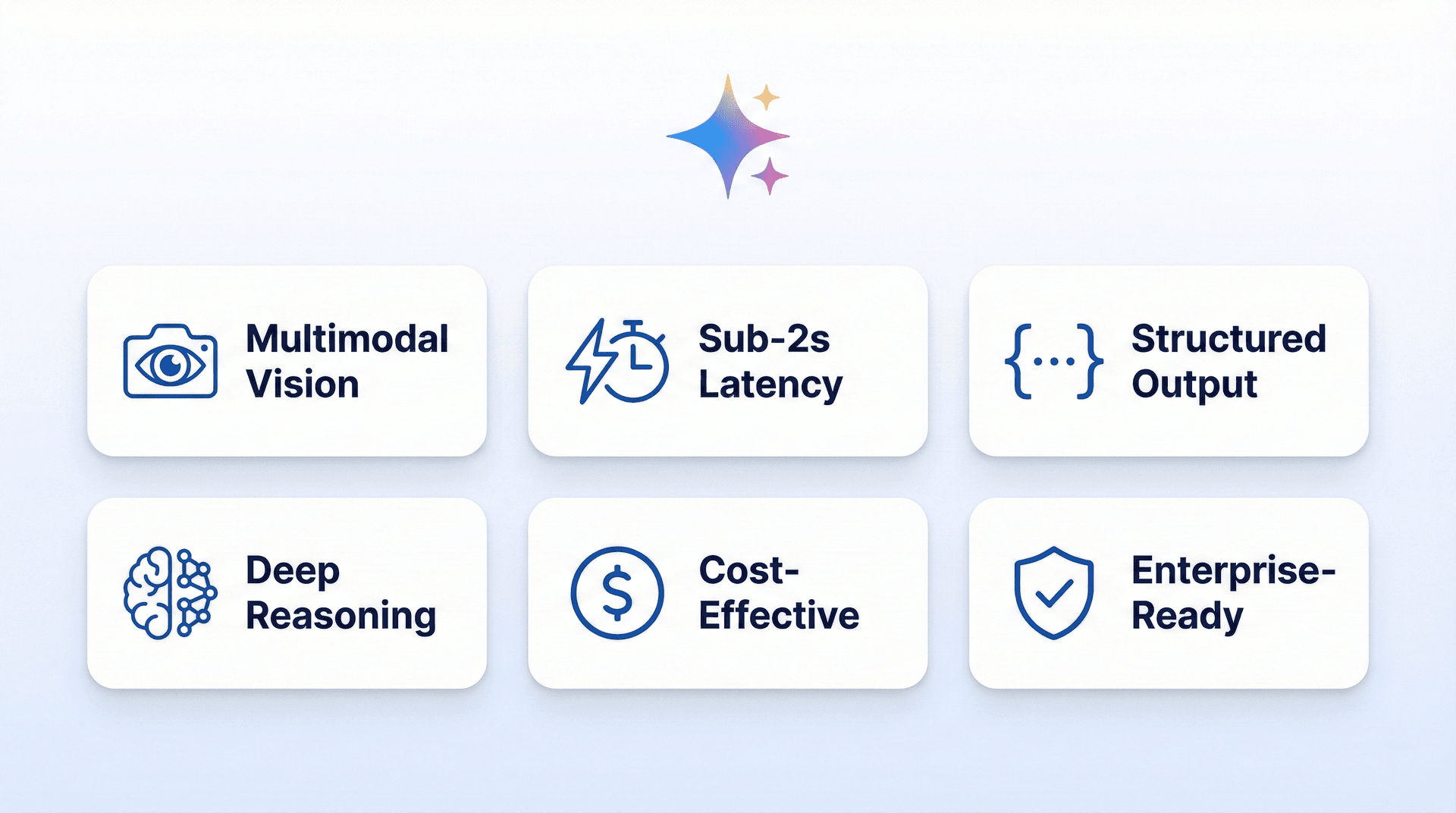
Why Gemini 3
The best multimodal AI for file understanding.
Meet the Creator
Designed & Developed by Moad Dahbi
Software Engineer specializing in .NET, DevOps, and Cloud Architecture — building intelligent solutions that make a difference.

Moad Dahbi
Software Engineer
CTO & Co-Founder at iSoutien. Software Engineer & DevOps specialist. Multi-certified across AWS, Azure, Java, and GitHub.
Core Expertise
- .NET 8 / C# / WPF / WPF-UI
- Azure DevOps / AWS / Docker / CI/CD
- React / Next.js / TypeScript
- SOLID / MVVM / Clean Architecture
Certifications
- ✓Java SE 8 Certified
- ✓GitHub Foundations
- ✓Azure Fundamentals
- ✓AWS Cloud Practitioner
- ✓Salesforce AI Associate
- ✓Meta Front-End Developer
Frequently Asked Questions
Everything you need to know about AutoDrop, Gemini 3 integration, and privacy.
AutoDrop is an AI-powered desktop application that organizes your files automatically. Drag files onto the floating drop zone, Gemini 3 analyzes their content using multimodal vision, and suggests the perfect destination folder.
Multimodal AI reads images, PDFs, and documents
Content-based sorting, not just file extensions
Suggests folders with confidence scores and reasoning
Full operation history with one-click undo